Letter Bowl Alphabet Adventure

Letter Bowl Alphabet Adventure

Developer: Pixel Warrior Core
Updated: 2026-07-20
| Children , Preschool , Literacy , Spelling
Advertisement

Review

Letter Bowl Alphabet Adventure excels at making early literacy feel like a game rather than a lesson. The floating snack concept is visually appealing and holds a child's attention. Positive feedback for correct choices builds confidence, while the lack of harsh penalties for mistakes encourages repeated attempts. The inclusion of both uppercase and lowercase letters adds educational value. This is a solid tool for parents and teachers seeking a gentle introduction to the alphabet.

About This Game

Playful Letter Practice

Letter Bowl Alphabet Adventure presents a bowl filled with floating snacks, each marked with a letter. Players click on these snacks in the correct alphabetical sequence from A to Z. The game includes both uppercase and lowercase versions, giving children a complete introduction to letter forms. This straightforward mechanic keeps attention on the learning goal without unnecessary distractions.

Visual Design and Atmosphere

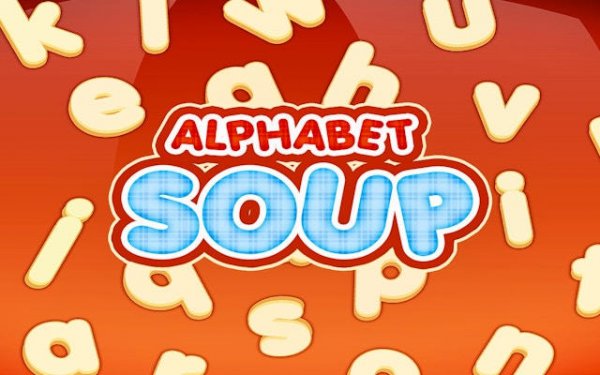
The game uses bright, cheerful colors and friendly illustrations to create a welcoming space. Young children often feel anxious when starting to learn, but the warm visuals here reduce pressure and encourage exploration. Each correct selection triggers a small celebration, reinforcing progress in a gentle way.

Progression and Feedback

As children play, they receive immediate feedback on each choice. Correct selections produce a positive sound and visual cue, while incorrect ones simply prompt another try. This loop helps learners self-correct and build confidence. Over time, players naturally improve their speed and accuracy without feeling rushed.

Classroom and Home Use

Teachers and parents can use this game as a supplemental tool during literacy lessons. Its simple interface means even very young children can operate it independently. The game works well in short sessions, fitting into daily routines at school or at home. No reading skills are required to play, making it accessible for beginners.

✅ Compatibility & Testing

• Desktop (Windows 11, macOS Ventura)
• Mobile (iPhone 14, Samsung Galaxy S23)
• Tablet (iPad Pro, Android tablet)
✅Supported browsers: Chrome, Safari, Edge, Firefox (latest versions)
❌ Not supported: Internet Explorer, older browser versions

Faq

What age group is Letter Bowl Alphabet Adventure designed for?
The game is primarily aimed at children aged 3 to 6 who are beginning to learn the alphabet. Its simple click-based controls and bright visuals make it suitable for preschoolers and kindergarteners. Older children who need extra practice with letter order may also benefit from the game.
Does the game include both uppercase and lowercase letters?
Yes, Letter Bowl Alphabet Adventure includes both uppercase and lowercase letters. This allows children to become familiar with both forms, which is important for reading and writing. The game presents them in a mixed format, helping learners recognize letters in various contexts.
Can my child play this game without any help from me?
Absolutely. The interface is designed to be intuitive for young children. Large buttons and clear visual cues guide the player through the activity. Most children can start playing immediately after a brief demonstration, making it a good choice for independent practice.
Is there a timer or time limit in the game?
The game includes a timer that records how quickly a player completes the alphabet sequence. However, there is no penalty for taking a long time. The timer simply allows children to track their own improvement over multiple sessions, adding a light challenge for those who want it.
What happens when my child selects the wrong letter?
When an incorrect letter is clicked, the game provides gentle feedback indicating the choice was not correct. The child can then try again without any negative consequence. This supportive approach helps learners stay motivated and learn from mistakes.
Can this game be used in a classroom setting?
Yes, it works well in classrooms. Teachers can set up the game on tablets or computers for individual practice. The simple design and short play sessions fit easily into lesson plans. The game also encourages friendly competition as students try to improve their own best times.

Comments

0 comments
U
User
Loading comments...