Personal Avatar Creator Workshop

Personal Avatar Creator Workshop

Developer: Sapphire Interactive
Published: 2024-09-27
Updated: 2026-07-30
| Children , Learning , Imagination
Advertisement

Review

Personal Avatar Creator Workshop delivers exactly what its name promises: a simple, engaging tool for children to design their own characters. The interface is clean and intuitive, making it easy for even preschoolers to navigate. The range of options for skin, hair, face, and clothing is broad enough to encourage experimentation without overwhelming young users. The ability to save and share creations adds a rewarding social element. Parents will appreciate the complete absence of ads, violence, or any inappropriate content. This is a solid choice for families seeking a safe, creative online activity.

About This Game

Character Design Fundamentals

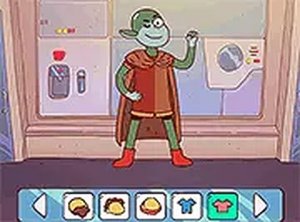
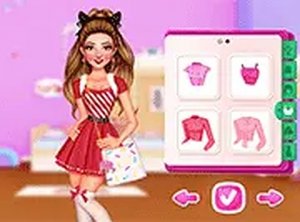
Personal Avatar Creator Workshop gives players the tools to build a character from the ground up. The process begins with foundational choices such as skin tone and body type. These initial decisions set the stage for more detailed customization later. By offering a range of options for each category, the game encourages children to think about how different features combine to create a unique look. The interface is straightforward, allowing even young players to navigate through selections without frustration.

Hairstyle and Facial Features

After establishing the basic body, players move on to selecting a hairstyle and facial structure. The available choices include various lengths, colors, and styles for hair, as well as different eye shapes, nose types, and mouth expressions. This stage lets children experiment with different personalities for their character. A character with a curly updo and a wide smile will feel different from one with straight hair and a serious expression. The game does not prescribe any right or wrong combination, so children are free to explore.

Wardrobe and Accessory Selection

The wardrobe section provides a broad collection of clothing items and accessories. Players can choose tops, bottoms, footwear, and extras like hats, glasses, or jewelry. All items can be mixed and matched freely, and any selection can be changed at any time. This flexibility supports trial-and-error learning, as children see how different pieces work together. The variety encourages them to think about color coordination and personal style without any pressure to finish quickly.

Saving and Sharing Creations

Once a character design is complete, the game offers options to save the creation for later viewing or to share it with friends and family. This feature adds a social dimension to the activity, allowing children to show off their work and receive positive feedback. The sharing process is designed to be simple and safe, focusing on the creative output rather than complex social interactions. Parents can feel comfortable knowing the game prioritizes a secure environment.

Platform and Accessibility

Personal Avatar Creator Workshop runs directly in a web browser on both mobile phones and desktop computers. There is no need to download any software or create an account. The game also includes a full screen mode that removes distractions and helps children focus on their design. Controls are optimized for touch screens and mouse input alike, ensuring a smooth experience regardless of the device. This accessibility makes it easy for families to use the game during travel or at home.

Compatibility

✅ Works on PC & Mobile | Recommended: Chrome / Safari / Edge

Faq

Does Personal Avatar Creator Workshop require an internet connection to play?
Yes, the game runs entirely in a web browser, so an active internet connection is needed to load and play. Once loaded, all customization options are available without further downloads. This makes it easy to access from any device with a browser.
Can multiple children use the same device to create different characters?
Absolutely. Since the game does not require an account or login, multiple children can take turns using the same device. Each child can start a new character from scratch, and their creations can be saved or shared individually.
Is there any in-app advertising or external links in Personal Avatar Creator Workshop?
The game is designed to be family-friendly and free from inappropriate content. It does not contain in-app advertisements or external links that could lead children away from the activity. This ensures a safe, focused creative experience.
What age group is Personal Avatar Creator Workshop best suited for?
The game is suitable for children aged 4 and up. Younger children may need initial guidance with navigation, but the simple interface and clear icons make it accessible. Older children can enjoy more detailed customization and sharing features.
Can I print my child's character design from the game?
The game does not include a built-in print function. However, players can take a screenshot of their finished character on the screen and then print that image using standard device features. This allows families to keep physical copies of their favorite designs.
Does the game save progress automatically if I close the browser?
No, the game does not save progress automatically. If you close the browser window, any unsaved character design will be lost. Players should use the save or share options before exiting to keep their creation for later use.

Comments

0 comments
U
User
Loading comments...