Ten-Pin Bowling Practice

Ten-Pin Bowling Practice

Updated: 2026-07-17
| Arcade , Sports , Casual , Single Player , Simulation

Review

This bowling game offers a calm and focused practice environment. The controls are easy to learn, letting you adjust aim, power, and spin. The always-available practice mode is a standout feature, allowing you to experiment without pressure. The game provides clear feedback on each throw, helping you understand what works. It is a great choice for anyone who enjoys bowling and wants to improve their skills from home.

About This Game

Game Introduction

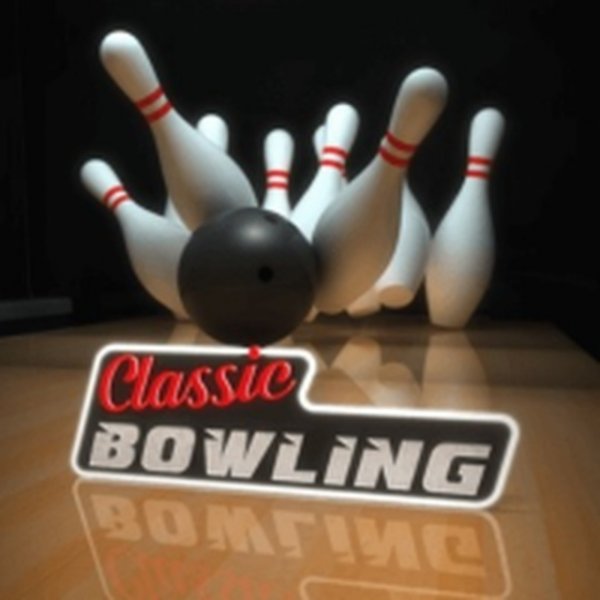
This game brings the classic sport of ten-pin bowling to your personal device. The main goal is to roll a ball down a lane and knock over all ten pins at the end. What sets this experience apart is its emphasis on relaxed practice and convenience. A dedicated training area is always accessible, allowing you to work on your technique without any pressure or time limits. You can enjoy the game from home, without needing to rent special shoes or carry heavy equipment. The simulation offers a realistic feel, with controls that let you choose your starting position, the force of your throw, and the spin on the ball. Each roll becomes a small puzzle, as you figure out the best angle and power to achieve a strike or spare. Whether you are an experienced bowler or new to the sport, the open practice environment helps you improve at your own pace.

How to Play

Playing this bowling game is simple and intuitive. On a computer, you typically use the mouse to interact with the game. On a smartphone or tablet, you tap the screen. The game provides clear on-screen instructions for detailed control options. Generally, you first choose where to stand on the lane. Then, you set the power of your throw by holding and releasing the mouse button or tapping and holding the screen. Finally, you can add a spin effect to the ball to make it curve toward the pins. The objective is to knock down all ten pins using as few rolls as possible. The game automatically keeps score, and you can see your results after each turn.

Game Features

This bowling game includes several features that enhance the experience. A practice mode is always available, letting you train without any time limits. You can adjust your aim, power, and spin to experiment with different techniques. The game is designed for both PC and mobile devices, so you can play on a computer, smartphone, or tablet. The controls are simple and responsive, making it easy to pick up and play. The visual style is clean and focused on the bowling action, with a clear view of the lane and pins. The game also provides feedback on your throws, helping you understand how to improve.

Tips for Success

To improve your scores, practice regularly to learn how different power levels and spin angles affect the ball's path. Start by aiming for the center pocket between the front pin and the one behind it. Adjust your starting position based on your natural throw. Use spin to correct your aim if the ball tends to drift. Watch how the ball reacts to the lane and learn from each roll. Consistent practice is the best way to develop a reliable technique.

Compatibility

✅ This game supports:
- Desktop browsers (Chrome, Edge, Safari)
- Mobile browsers (Chrome on Android, Safari on iOS)
❌ Does NOT support: - Internet Explorer - Very old browser versions
👉 Try refreshing or updating your browser

Faq

Can I play this bowling game offline?
Yes, this game is designed to be played offline. Once downloaded, you can enjoy bowling practice without an internet connection, making it perfect for travel or areas with limited connectivity.
Is there a multiplayer mode in this bowling game?
The game focuses on single-player practice and improvement. It does not include a multiplayer mode. You can focus on your own technique and track your personal progress over time.
Does the game include different lane conditions?
The game may include variations in lane conditions, such as oil patterns, which affect ball movement. These conditions are part of the realistic simulation and can help you learn to adapt your strategy.
How does the scoring system work?
The game uses standard ten-pin bowling scoring. Each frame gives you two rolls to knock down all ten pins. A strike knocks down all pins on the first roll, and a spare does so in two rolls. The game automatically calculates your total score.
Are there different ball types or weights available?
The game may offer a selection of balls with different weights and surface textures. These options can affect how the ball reacts on the lane, allowing you to choose a ball that matches your preferred style.
Can I customize the appearance of my character?
The game may include options to customize your character's appearance, such as choosing different outfits or colors. This feature adds a personal touch to your bowling experience.

Comments

0 comments
U
User
Loading comments...