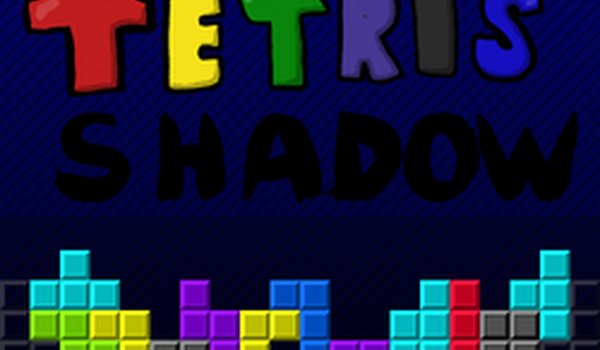
Block Shadow Puzzle

Block Shadow Puzzle

Developer: Night Pixel Digital
Published: 2026-03-14
Updated: 2026-07-04
| Arcade , Block , Gravity , HTML5 , Puzzle

Review

Block Shadow Puzzle offers a clean and familiar block-stacking experience. The shadow preview is a standout feature, making it easier for new players to learn placement while still providing a challenge for veterans. The gradual speed increase keeps the game engaging, and the HTML5 platform means no downloads are needed. A solid choice for puzzle fans.

About This Game

Game Introduction

Block Shadow Puzzle is a classic block-stacking puzzle game that challenges players to arrange falling blocks into complete horizontal lines. The core objective is to clear lines to earn points while managing increasing speed. What makes this version unique is the shadow effect, which shows where the current block will land, helping players plan their moves more precisely. This game offers a familiar yet refined experience for puzzle enthusiasts of all ages.

How to Play

In Block Shadow Puzzle, players control falling blocks as they descend into a playing field. Using keyboard controls, you can move blocks left or right, rotate them to fit into gaps, and speed up their descent or drop them instantly. The goal is to fill entire rows with blocks to clear them and score points. As you progress, the blocks fall faster, requiring quick thinking and accurate placement. The game ends when blocks stack to the top of the field.

Game Features

This puzzle game includes classic block-stacking mechanics with a helpful shadow feature that previews where each block will land. The game uses gravity to pull blocks downward, and the speed gradually increases to maintain challenge. It is built with HTML5, making it accessible directly in a web browser without downloads. The arcade-style gameplay focuses on achieving high scores, and some versions may include a leaderboard to compare results with other players.

Tips for Success

To succeed in Block Shadow Puzzle, focus on creating flat surfaces for blocks to land on. Use the shadow preview to plan your placements ahead of time. Rotate blocks to fit into tight spaces and avoid leaving gaps. Practice clearing multiple lines at once for higher scores. Stay calm as the speed increases, and take advantage of the drop feature to place blocks quickly when you are confident in your positioning.

Compatibility

▸ Desktop: Chrome / Edge / Firefox / Safari
▸ Mobile: iOS Safari / Android Chrome
▸ Tablet: iPadOS Safari / Android Tablet Browser
Keep your browser updated for the best experience
Faq

Can I play Block Shadow Puzzle on my mobile phone?
Yes, because the game is built with HTML5, it works on most mobile browsers. You can play directly on your phone or tablet without downloading any app. Simply open the game page in your browser.
Is Block Shadow Puzzle free to play?
The game is typically free to play in a web browser. Some versions may include optional in-game purchases or ads, but the core block-stacking experience is usually available at no cost.
Does the game save my high score?
Many versions of this game save your highest score locally in your browser. This allows you to track your personal best each time you play. Some online versions may also have a leaderboard.
What are the different block shapes in Block Shadow Puzzle?
The game includes the standard set of tetromino shapes, each made of four connected squares. These shapes include the I, O, T, S, Z, J, and L pieces. Each shape can be rotated to fit into gaps.
How does the shadow preview help me play better?
The shadow preview shows a faint outline of where the current falling block will land if you drop it straight down. This helps you see the exact landing position, allowing you to plan rotations and placements more accurately.
Can I change the game speed in Block Shadow Puzzle?
The game speed increases automatically as you clear more lines. Some versions may offer a settings menu where you can adjust the starting speed or difficulty level, but the default mode gradually becomes faster.

Comments

0 comments
U
User
Loading comments...