
Reviews
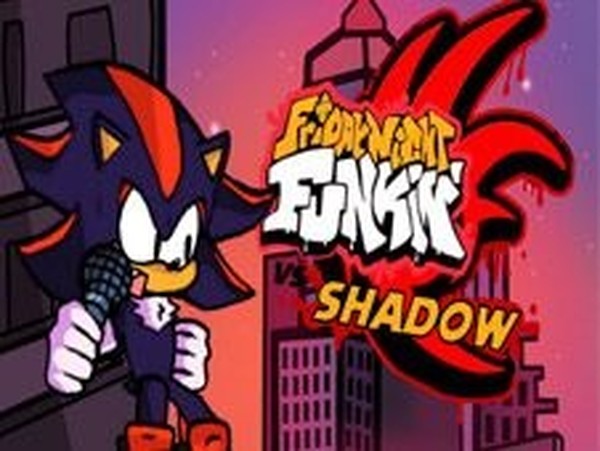
FNF vs Shadow The Hedgehog offers a clean rhythm experience with original tracks. The two modes provide good replay value, and the difficulty ramps up nicely. It is easy to pick up but requires focus to master. The game is well-suited for players who enjoy music-based challenges. Its open-source nature adds to its appeal. A solid choice for family-friendly gaming.
About This Game
Game Introduction
FNF vs Shadow The Hedgehog is an open-source rhythm game where players engage in a musical duel against Shadow. The core objective is to match on-screen arrow prompts by pressing the corresponding keyboard keys in time with the music. This game combines the popular Friday Night Funkin' style with a themed opponent, offering a simple yet engaging experience for rhythm game enthusiasts. It is designed to be family-friendly and safe, with no violent or inappropriate content, making it suitable for players of all ages.
How to Play
Players use the arrow keys on their keyboard to match the symbols that appear above the character's head. As arrows scroll toward the target area, press the matching key when they align. Missing too many notes in a row will cause the song to restart, so maintaining rhythm and accuracy is key. The controls are straightforward, making it easy for beginners to pick up and play. Practice helps improve timing and overall performance.
Game Features
The game includes a story mode that provides a structured narrative experience, as well as a free play mode for unlimited practice. It features original music that is catchy and varied, and the simple keyboard controls are easy to learn. Being open-source, the game supports community contributions and modifications. The content is family-friendly and appropriate for all ages, ensuring a positive and engaging experience.
Tips for Success
Focus on the beat and try to relax while playing to improve your timing. Practice regularly in free play mode to build muscle memory and accuracy. Start with easier songs to get comfortable with the controls before attempting more challenging tracks. Pay attention to the visual cues and try to anticipate the next arrows. Staying calm and concentrating on the rhythm will help you avoid missing notes and keep the song going.
Compatibility
Faq
Similar Games

Salty's Sunday Night Rhythm Game
Catchy music and simple controls make this a great choice for quick, family-friendly fun.

FNF Rhythm Battle Arcade
Simple rhythm gameplay with a corrupted cartoon theme. Good for quick practice sessions.

FNF Broken Strings Rhythm Game
Simple arrow key rhythm game with a cheerful Elmo theme. Great for quick musical fun.

FNF Takeover Rhythm Game
Clean rhythm gameplay with all FNF characters. Fun for quick sessions and improving timing.

Friday Night Funkin RTX Rhythm Game
Smooth rhythm gameplay with vibrant RTX graphics. Great for quick music challenges.

Komi-san Rhythm Game
Clean rhythm mechanics and a sweet theme. Perfect for quick, fun sessions.

FNF Clay Rhythm Battle
Creative clay visuals and catchy music. A fun rhythm challenge for quick breaks.

FNF Minus Huggy Rhythm Game
Bright visuals and catchy music make this rhythm game enjoyable. Simple controls and fair challenge.
FNF vs Shadow Rhythm Game
Catchy music and simple controls. A fun rhythm challenge for quick play sessions.

FNF Vs Updike Rhythm Game
Catchy music and simple controls. A fun rhythm challenge for quick breaks.