Wobbly Pong 2 Player Action

Wobbly Pong 2 Player Action

Developer: Falcon Pixel Labs
Published: 2025-01-23
Updated: 2026-07-04
| 2 Player , Multiplayer , Pong , Action , Unity , Uni

Review

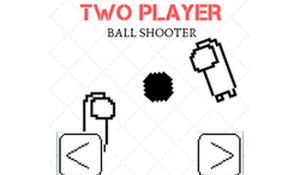
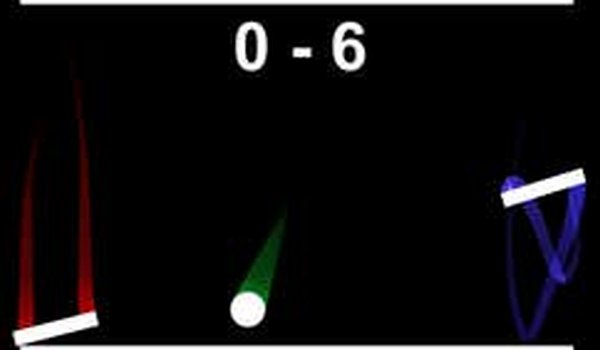
Wobbly Pong 2 Player Action brings a fresh, playful take on the classic pong formula. The wobbly paddle physics add a layer of fun chaos that keeps matches lively and unpredictable. Simple black-and-white visuals ensure fast loading and smooth performance. Perfect for quick sessions with a friend, it requires no downloads and runs directly in the browser. The keyboard controls are intuitive, and the instant reset feature is handy. A great choice for casual multiplayer fun.

About This Game

Game Introduction

Wobbly Pong 2 Player Action is a playful variation of the classic arcade pong game, designed for two players to enjoy on the same device. The core objective is to outscore your opponent by hitting a ball past their paddle. What makes this game unique is the unsteady paddle movement, which adds a fun and unpredictable wobble to every rally. The simple black-and-white visuals keep the focus on the chaotic action, making it perfect for quick, lighthearted matches with a friend. No downloads or sign-ups are required—just jump in and play directly in your browser for free. The game is built with Unity, ensuring smooth performance across most modern browsers.

How to Play

In this two-player game, each player controls a paddle on opposite sides of the screen. Player 1 uses the W and S keys to move their paddle up and down, while Player 2 uses the Up and Down Arrow keys. The goal is to hit the ball past your opponent's paddle to score points. Due to the wobble effect, your paddle will move slightly unpredictably, making precise control a fun challenge. You can press the Esc key to reset the game at any time. The first player to reach the target score wins. Stay focused and enjoy the wobbly ride.

Game Features

Key features include fun wobble physics that make each rally unique, two-player local play on the same device, and simple keyboard controls. The game offers instant reset with the Esc key and requires no downloads or sign-ups. It is built with Unity and designed for quick, accessible matches in your browser.

Tips for Success

To succeed in Wobbly Pong 2 Player Action, practice anticipating the ball's trajectory and adjust your paddle position early. Since the paddle wobbles, try to make small, controlled movements rather than large swings. Stay calm and focus on the ball, as the wobble can be unpredictable. Playing regularly will help you get used to the physics and improve your reflexes. Communication with your opponent can also make the game more enjoyable and competitive.

Compatibility

• OS: Windows 10+, macOS 11+, iOS 14+, Android 10+
• Browsers: Chrome 100+, Safari 15+, Edge 100+, Firefox 100+
• Not compatible with Internet Explorer
Tested on real devices ✅ works as expected

Faq

Is Wobbly Pong 2 Player Action available on mobile devices?
The game is built with Unity and designed for browser play. It may work on some mobile browsers, but the keyboard controls are optimized for desktop or laptop computers. For the best experience, play on a device with a physical keyboard.
Can I play Wobbly Pong 2 Player Action alone against a computer?
Based on the game design, it is specifically made for two human players on the same device. There is no mention of a computer opponent. To play alone, you would need a second player to join you locally.
What is the target score to win a match?
The target score is not specified in the game description. Typically, in pong-style games, players set a target such as 5, 7, or 10 points. You can likely adjust the target score in the game settings or use the default value.
Does Wobbly Pong 2 Player Action have any sound effects or music?
The game description focuses on the visual and gameplay elements. It does not mention sound effects or music. The simple black-and-white visuals suggest a minimalist design, so audio may be minimal or absent. Check the game directly for audio features.
How do I reset the game if I want to start over?
You can press the Esc key at any time to reset the game. This will restart the match from the beginning, allowing you to start fresh without refreshing the browser page.
Is there a way to change the paddle speed or wobble intensity?
The game description does not mention any adjustable settings for paddle speed or wobble intensity. The wobble effect is a core feature that adds unpredictability. If you find the wobble challenging, practice with small movements to adapt.

Comments

0 comments
U
User
Loading comments...