
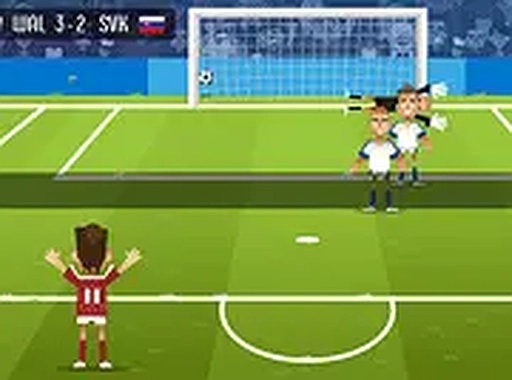
Team Choice Before Each Attempt
Every attempt in International Goal Challenge begins with a quick team selection screen. You pick from a set of international squads, and each one has its own distinct look and feel. The choice is mostly about personal preference rather than stats, so you can settle on a favorite or rotate through different sides. The screen is built to be fast, letting you get from selection to shot in seconds. There is no lengthy setup, no story mode, and no roster management to slow things down. [IMG_1]Aiming, Power, and the Goalkeeper
The core interaction is a two-part decision: where you aim and how hard you strike. Using a mouse or touch input, you direct the shot toward different sections of the goal. A power gauge controls the force behind the kick. The goalkeeper reacts to your placement by diving left, diving right, or holding the center. Angle and strength together determine whether the ball slips past the keeper or gets blocked. Timing matters because striking while the keeper is moving the wrong way improves your chances. [IMG_2]Short Sessions and Accuracy Tracking
Matches are deliberately short, which suits brief breaks and casual play. Each successful goal adds to your total, and the game tracks your accuracy across multiple attempts. That combination of a running score and an accuracy record gives you a reason to retry: you are not just chasing more goals, you are also trying to convert a higher share of your shots. Because there is no installation and no extended setup, you can start and stop whenever you like. [IMG_3]Editorial Notes
Compatibility
💻 Desktop | 📱 Mobile | 📟 Tablet
– All supported · Best with Chrome or Safari







Comments
0 comments